The interactive demo
Two starting points — a finished investment review and a blank page — three brands, a custom block, and a PDF rendered by the engine in your own tab. Nothing is uploaded anywhere.
Embeddable report designer · React & Angular
BroadPaper drops a visual report designer into your product. You declare the data; your users lay out the document; BroadPaper handles layout, branding, pagination and a print-perfect PDF, rendered in the browser with @broadpaper/forme — no server required.
Free until you ship: everything works without a key, and PDFs carry an evaluation mark. A free 60-day key removes it while you evaluate. Open the demo or read the quick start.
pnpm add @broadpaper/react @broadpaper/core @broadpaper/blocks @broadpaper/forme
Every serious business application ends up needing customer-facing documents: reviews, statements, factsheets, certificates, invoices. Every team ends up building a report designer for them, badly, twice. BroadPaper is the one you were going to build anyway, finished.
Describe your data sources with a typed schema, hand over sample data, and mount the designer in a div. About thirty lines.
Drag blocks, bind fields, set conditions, pick a brand — or describe the report and let your AI model draft it. They see real data on real pages as they work, and they cannot break the grid.
A saved template is JSON you keep. Render it with live data to a vector PDF, in the browser, in Node, or behind the render service.
Page, section, row, column, block. The structure is what makes the output predictable: a heading cannot be nudged three pixels off its grid, and a table always knows which column it is in. The palette is searchable, the properties panel is declarative, and every bound field is a chip you can read. A new document starts empty, with your schemas already on the left.
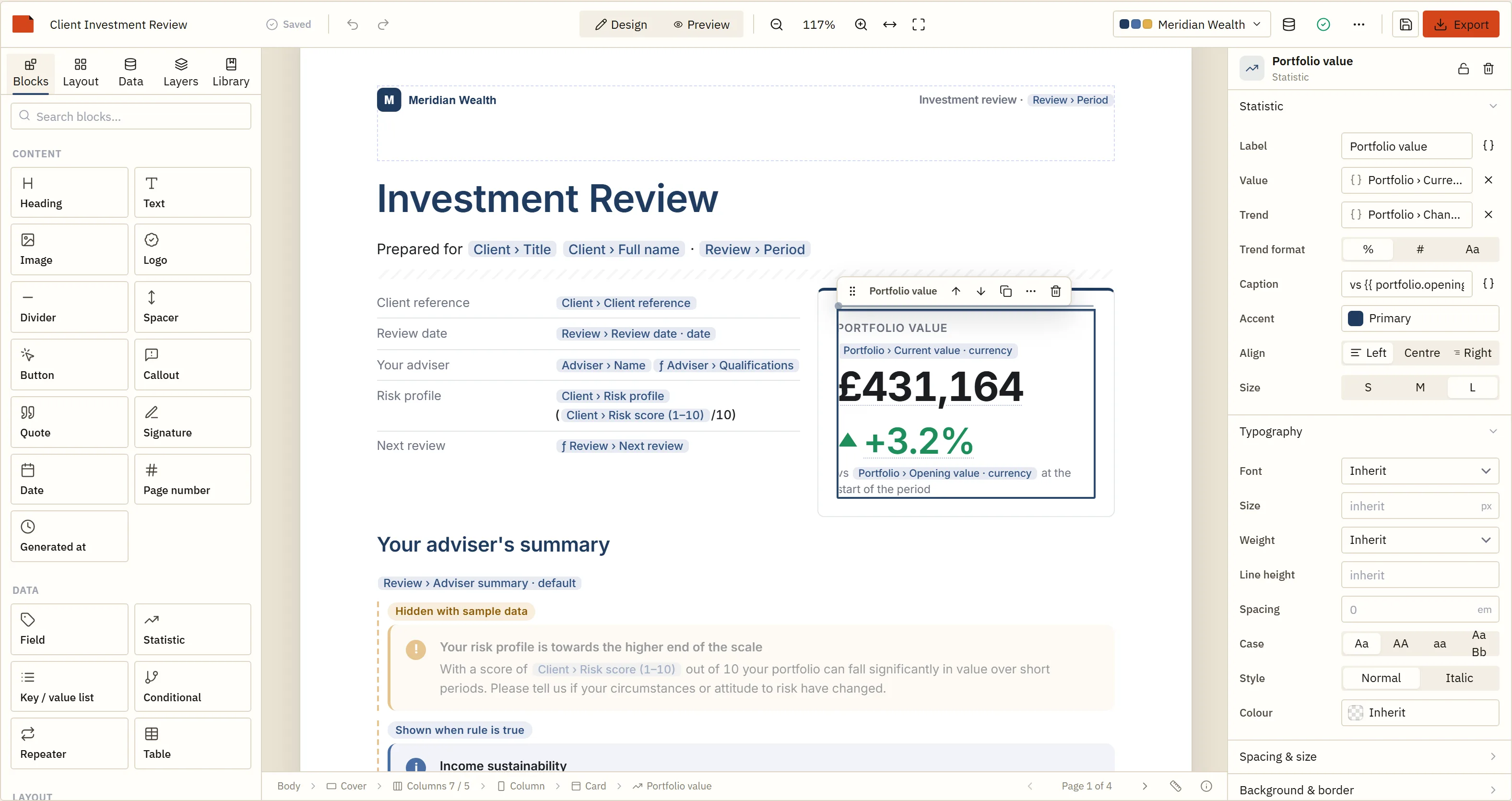
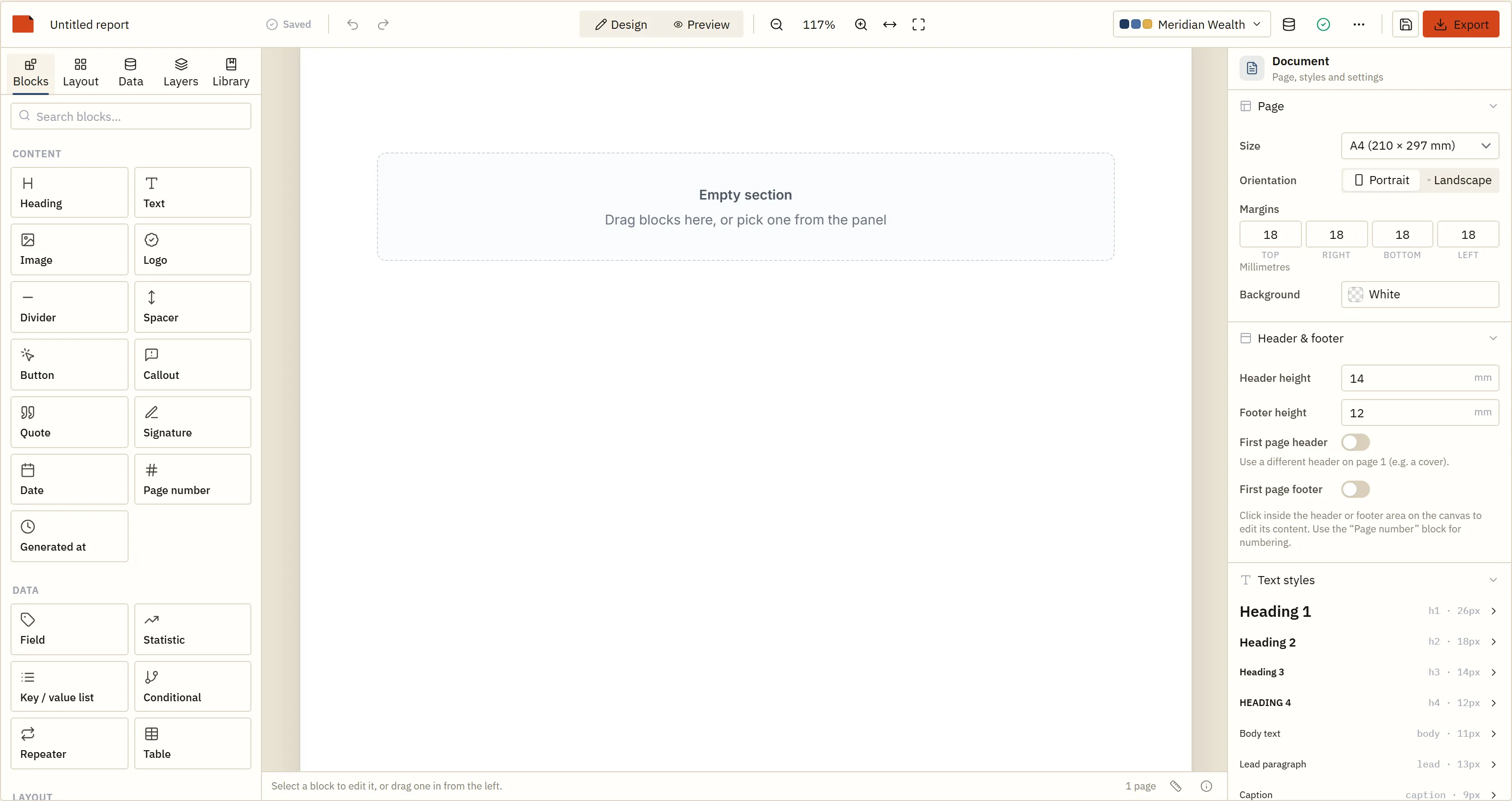
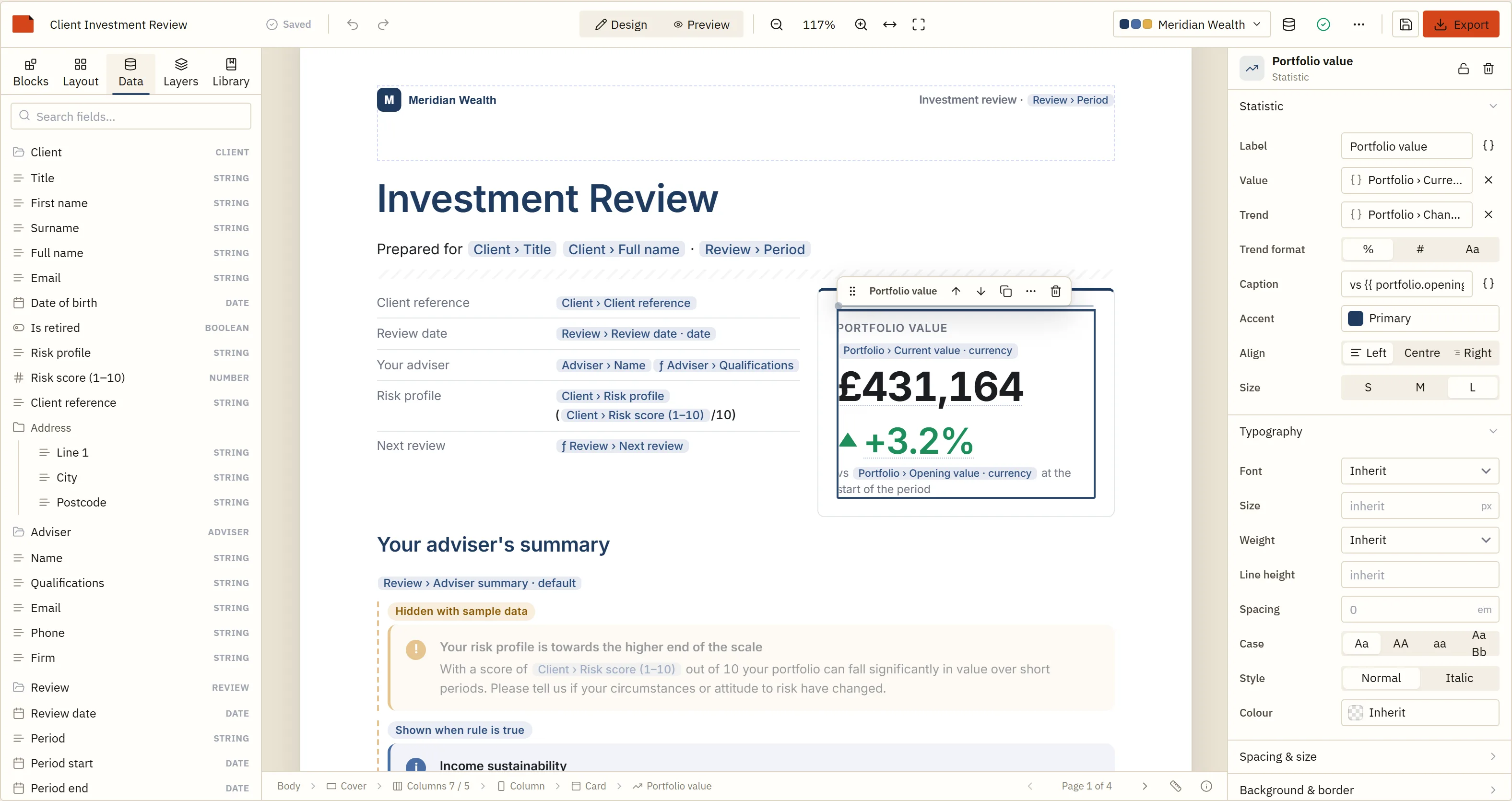
You declare data sources with a typed schema; the designer shows them as a tree. Drag a scalar onto the page and it becomes a field. Drag a list and it becomes a table. Type two braces in any text block and the expression autocomplete offers your fields, with types checked against the schema as you type.
Read about bindings in the docs.
A template can name theme tokens instead of fixed colours and fonts, and a theme resolves them. Built that way, the same JSON renders as Meridian Wealth or as Hartwell & Kane with one option changed, which is how a white-label product serves every customer from one design.
Read about themes in the docs.
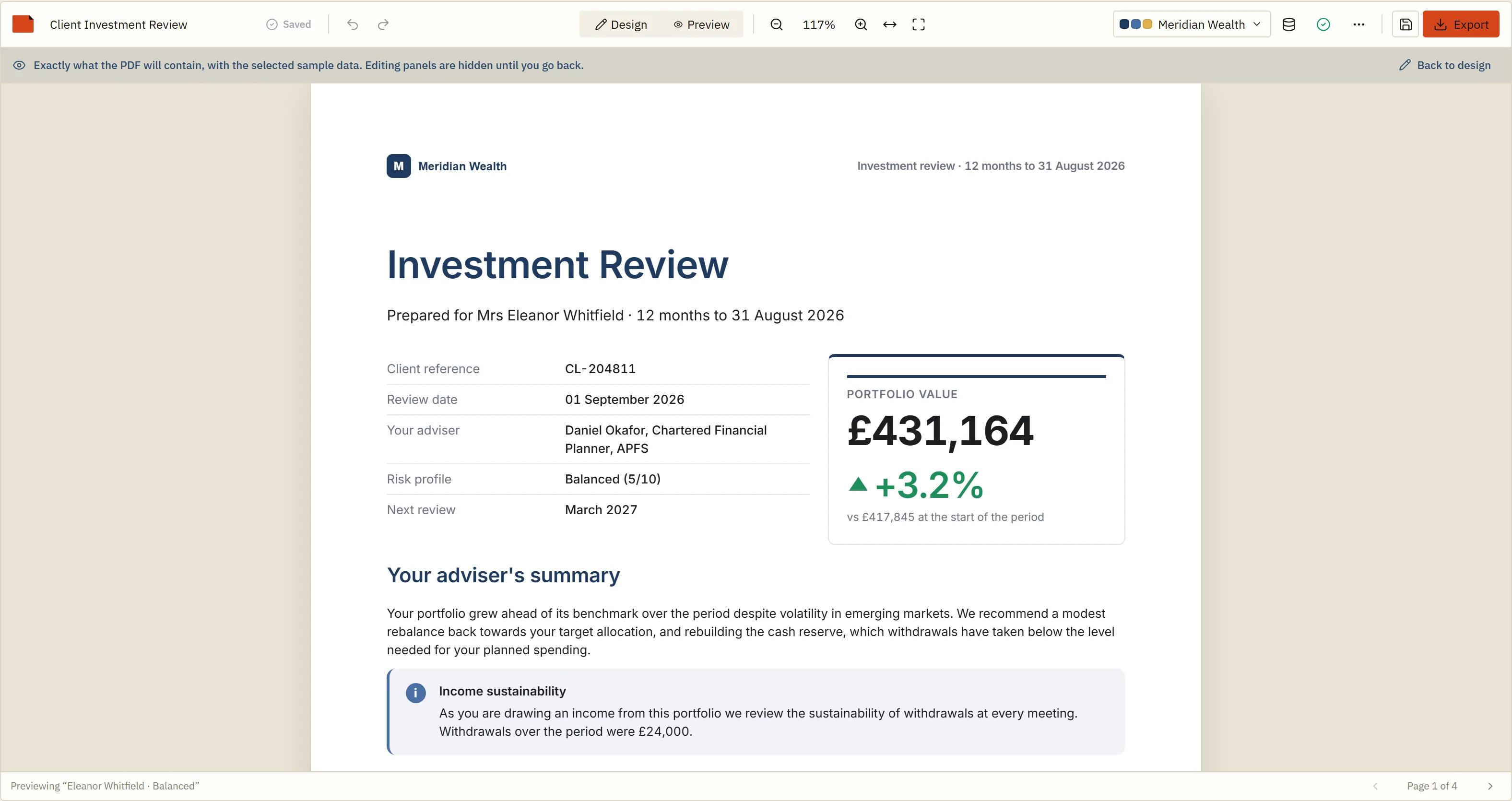
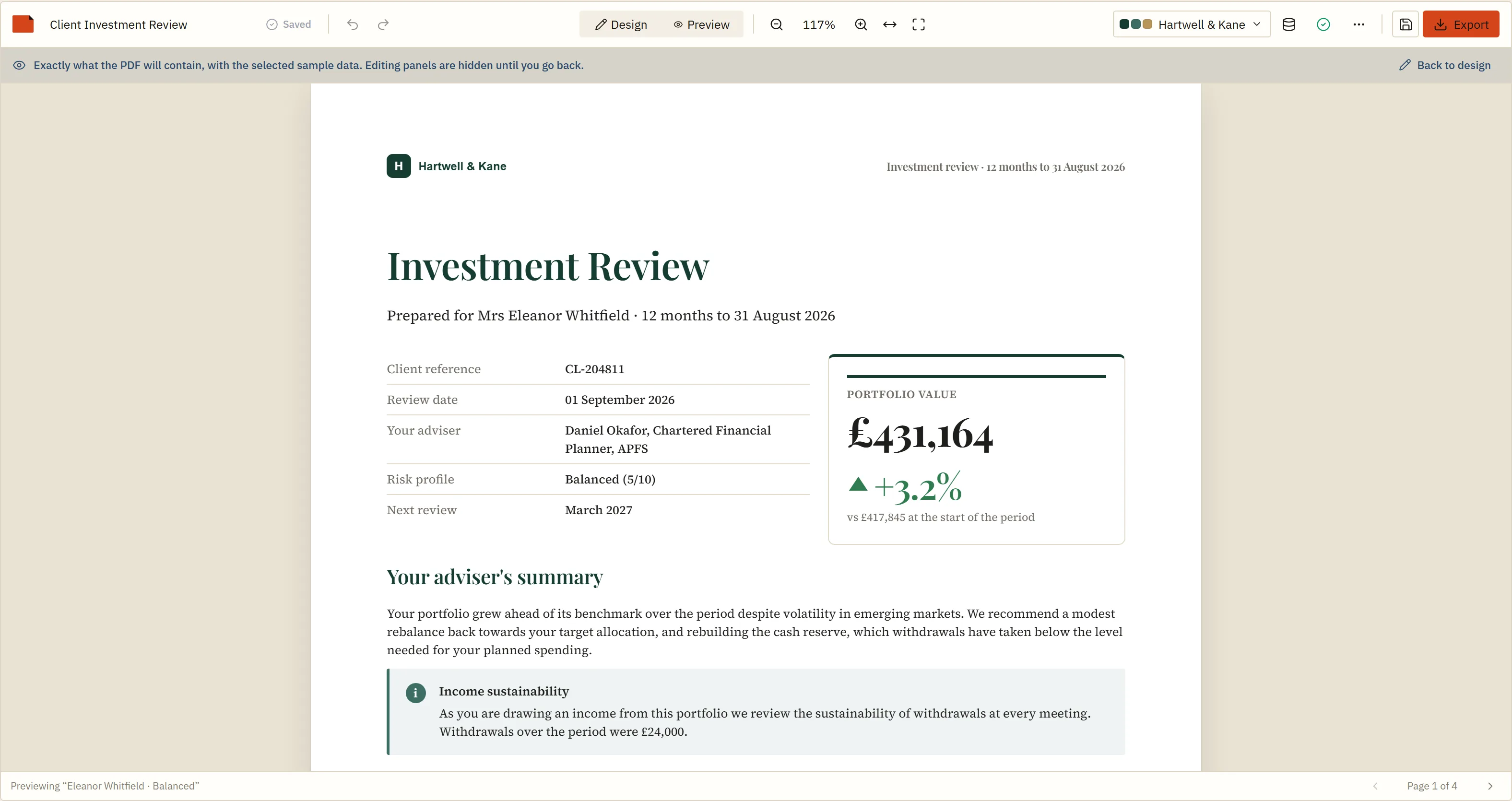
Selectable text, vector charts, the fonts you supply embedded, repeated table headers. The WebAssembly engine draws it in the user's own browser; the same engine runs in Node, or behind the render service. Nothing leaves your infrastructure unless you send it.
Download the four-page example PDF the demo produces.
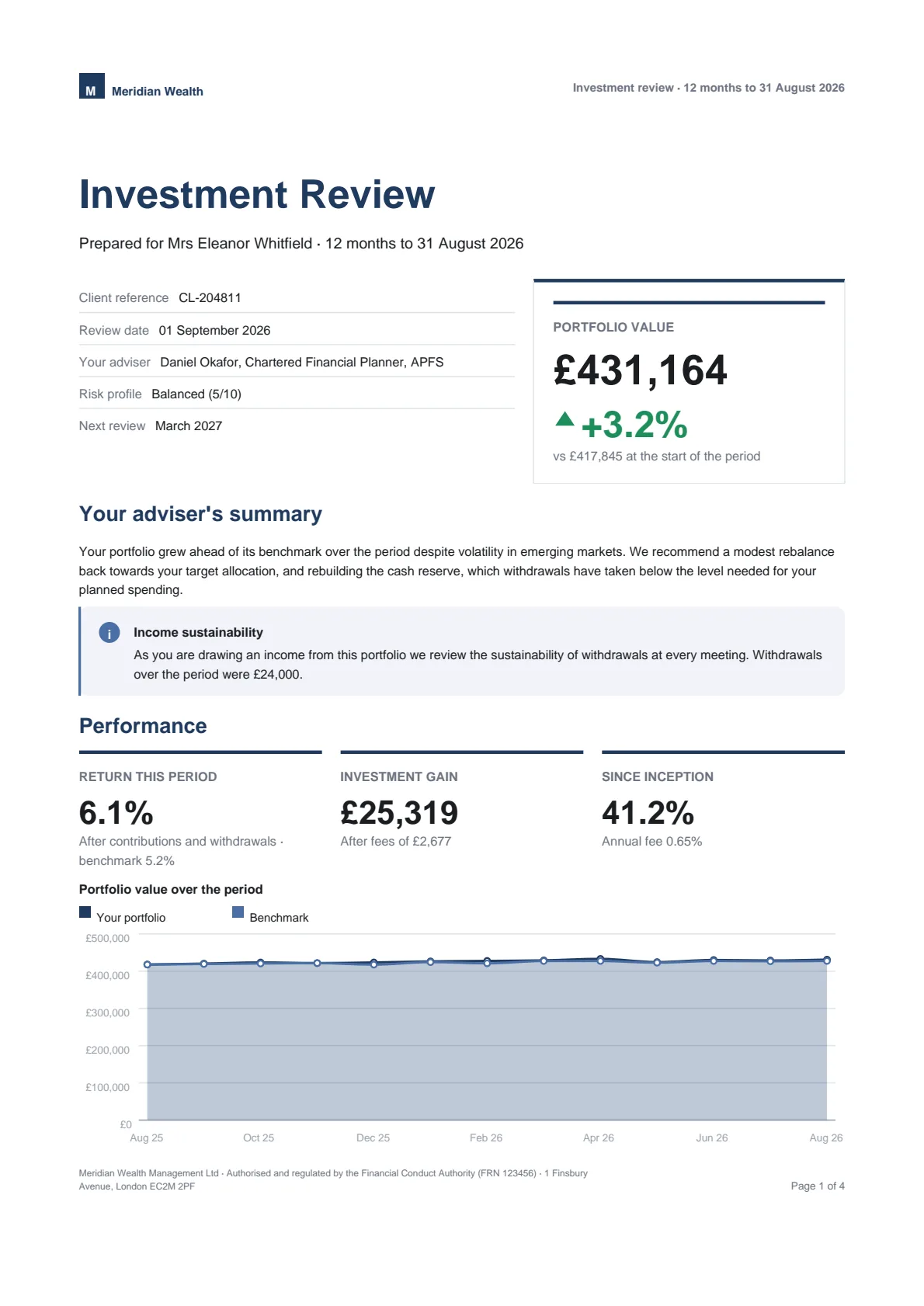
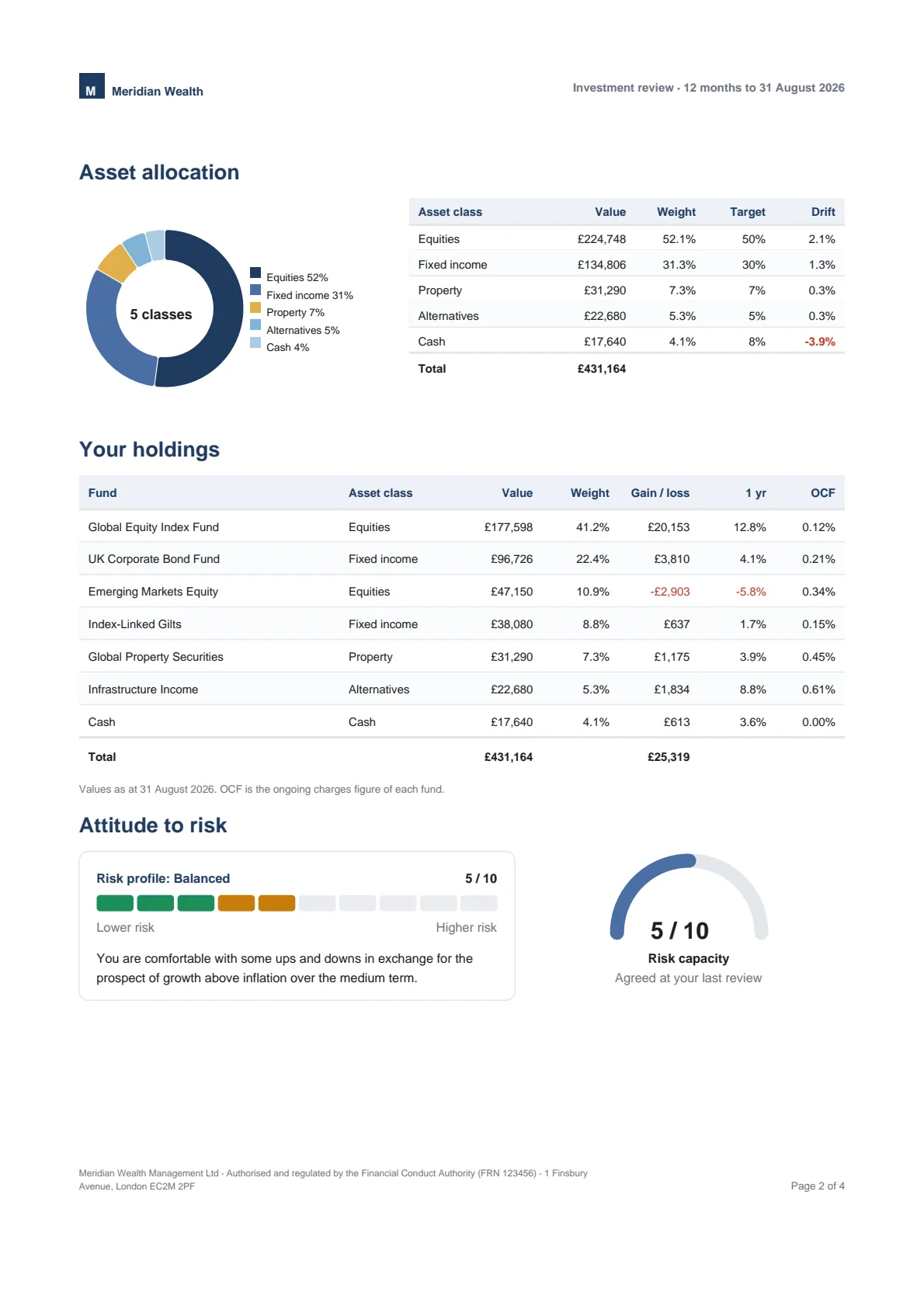
Browsers paginate for printing inconsistently and invisibly. PDF libraries paginate their own way. Either way, the page break your user sees on screen is a guess about the one in the file.
BroadPaper refuses to let either of them decide. A section is measured once as a continuous galley, a pure paginator assigns clip windows to pages, and both the canvas and the PDF engine are handed pages that are already decided. Point preview at the same measurer as the PDF, with the theme's fonts embedded, and a break on screen is a break in the file.
Twelve things it does, and the reason each one is hard. The documentation is where the detail lives.
Page, section, row, column, block. A tree your users cannot break, not a canvas they can.
Keep-together, orphans and widows, repeated table headers, running headers with page numbers.
Point preview at the engine that draws the file, with the theme's fonts embedded, and a break on screen is a break in the PDF.
Templates can refer to theme tokens instead of fixed colours, so a design built on tokens re-brands with one option.
A WebAssembly engine draws selectable text and vector charts in Node or in the browser.
A hand-written expression language. No eval, checked against your schemas, with autocomplete.
Sorting, limits, conditional formatting, headers that repeat. Charts interactive on screen, identical in print.
A declarative inspector and a pure render function. Yours drag, bind, theme and print like ours.
Schemas in, JSON out. The SDK makes no network calls of its own — AI template design included, which uses whatever model your server calls.
A framework-free core, thin wrappers, a render service behind HTTP and a .NET client for it, on .NET 8 and .NET 10.
Saved templates carry a schema version and migrate forward. Today's report opens next year.
Structured rich text instead of HTML, URL validation, SSRF-guarded fetching, feature flags for tiering.
Declare a schema, hand over sample data, mount. The designer gives you back a template as JSON; the renderer turns a template and live data into a file.
import { ReportDesigner } from "@broadpaper/react";
import { renderPdfPaginated } from "@broadpaper/forme";

const client = {
  id: "client", label: "Client",
  schema: {
    fullName: { type: "string", label: "Full name" },
    value: { type: "currency", label: "Portfolio value", currency: "GBP" },
    holdings: { type: "array", label: "Holdings", itemSchema: holding }
  }
};

export function Designer() {
  return (
    <ReportDesigner
      dataSources={[client]}
      sampleData={samples}
      theme={meridian}
      themes={[meridian, hartwell]}
      onSave={(template) => api.save(template)}
    />
  );
}

// Later, anywhere: the saved template plus live data → a vector PDF.
const { pdf } = await renderPdfPaginated({ template, data, theme: meridian, registry, dataSources });Add one option and the designer gains an AI panel: a user types "a quarterly review with the holdings as a table and an allocation chart", or "make the headings navy", and gets a real template back to review — never a screenshot, never code.
Works at every licence state, in React and Angular. Examples for Anthropic, OpenAI and Azure OpenAI are in the guide.
<ReportDesigner
  dataSources={[client]}
  ai={{
    // Your endpoint; the key stays on your server.
    generate: (request, signal) =>
      fetch("/api/report-ai", {
        method: "POST", body: JSON.stringify(request), signal
      }).then((r) => r.json())
  }}
/>import Anthropic from "@anthropic-ai/sdk";
import { buildTemplateAiPrompt, describeDesigner } from "@broadpaper/core/ai";
import { createRegistry } from "@broadpaper/blocks";
// Your own registry, never the one the browser describes.
const context = describeDesigner(createRegistry());
export async function POST(req: Request) {
const request = { ...(await req.json()), context };
const { system, messages, tool } = buildTemplateAiPrompt(request);
const reply = await new Anthropic().messages.create({
model: "claude-sonnet-5",
max_tokens: 16000,
system,
messages,
tools: [{
name: tool.name,
description: tool.description,
input_schema: tool.inputSchema
}],
tool_choice: { type: "tool", name: tool.name }
});
// The tool's input: a template, or a refusal. BroadPaper checks it.
const call = reply.content.find((b) => b.type === "tool_use");
return Response.json(call?.input ?? null);
}The designer hands you a template as JSON. That file is the whole contract: nothing in it depends on a browser, so the report a user designed on Monday is a nightly batch on Tuesday and an API endpoint on Wednesday. Same template, same paginator, same engine — the page breaks do not move.
import { renderPdfPaginated } from "@broadpaper/forme";
import { createRegistry } from "@broadpaper/blocks";

// The JSON the designer saved, straight out of your database.
const template = await db.loadTemplate(id);
const data = await db.loadClient(clientId);

const { pdf, pages } = await renderPdfPaginated({
  template, data, theme, dataSources,
  registry: createRegistry(),
  now: asAt,                  // byte-identical output
  locale: "en-GB", currency: "GBP"
});var result = await broadpaper.RenderAsync(new RenderRequest
{
// The same JSON, from the same table.
Template = JsonNode.Parse(review.TemplateJson),
Data = RenderRequest.ToNode(review.Data),
Now = review.AsAt,
Locale = "en-GB",
Currency = "GBP"
}, ct);
return File(result.Pdf, "application/pdf");Rendering on a server → The .NET client → The read-only viewer →
The demo runs in this browser with no account. The sample application is a real host outside this repository, installing the packages the way you would. The documentation is where the detail lives. And if you are weighing it against react-pdf, pdfmake, Puppeteer or another report designer, here is how it compares — including when it is the wrong choice.
Two starting points — a finished investment review and a blank page — three brands, a custom block, and a PDF rendered by the engine in your own tab. Nothing is uploaded anywhere.
One .NET back end with an Angular front end and a React front end beside it, both mounting the designer and the read-only viewer. It consumes the published packages from a real host build, which is the part a monorepo cannot prove.
Quick start, the document model, custom blocks, theming, server rendering, the render service, the .NET client and the read-only viewer. The worked examples in the quick start and the React, Angular, server and viewer guides are compiled and type-checked against the packages.
The same SDK, described for the stack you are on or the problem you arrived with. The guides are written for developers who have not heard of BroadPaper and say plainly where a simpler tool wins.
A finished report, a blank page, three brands, a custom block, and a PDF rendered in your own browser.
Not building software?
BroadPaper Cloud is the same engine as a finished product: bring in a spreadsheet, pick a design, download the document. For the operations team who wants the reports rather than the report designer.