Page and regions
Size, orientation, margins, and the fixed regions — header and footer — that recur on every page and are where page numbers, running titles and regulatory footers live.
SDK · Template model and renderer
A template here is a document model, not a PDF with boxes in it. Your users design one visually against the data fields you declare; the SDK measures it, paginates it, applies a brand and renders a vector PDF — in the browser, in Node, or behind a service you run.
Half the confusion in this category is vocabulary. Before anything else, here is where BroadPaper sits — and where it genuinely is not the answer.
| A fillable PDF form | An AcroForm or XFA file with named fields, filled by a library and flattened. Fixed geometry: the boxes are where they are, and a value too long for one is a value too long for one. Not this. If that is your requirement, use a form-filling library. |
|---|---|
| An HTML template printed to PDF | Handlebars or JSX rendered to markup and put through headless Chromium. Flexible, and the browser owns the page breaks — which is why “page 3 of 7”, repeated table headers and keeping a heading with its paragraph are all a fight. Not this either, though BroadPaper can use Chromium as a backend. |
| A coordinate layout | text(x, y) and rect() in jsPDF or PDFKit. Exact, fast, and yours to measure —
everything that depends on knowing the height of what you are about to draw is code you write.
Excellent for a receipt. Painful past page one. |
| A document model BroadPaper | A tree — page setup, regions, sections, blocks — with bindings, conditions and repeaters, stored as JSON and laid out at render time. One template makes a two-page document for one record and a fourteen-page one for the next, and re-brands with one option. |
Size, orientation, margins, and the fixed regions — header and footer — that recur on every page and are where page numbers, running titles and regulatory footers live.
Section, row, column, then blocks: heading, text, field, KPI, table, key/value list, chart, image, logo, divider, signature, page number, callout, card, button. A tree your users cannot break, rather than a canvas they can.
A reference to a field you declared, optionally through a formatting pipe —
portfolio.value | currency. Checked against your schema as it is written, with no
eval anywhere in the evaluation path.
A block, or a whole section, that appears only when the data says so — which is how one template serves the client who has a mortgage and the one who does not, without an empty heading over nothing.
Bound to a list. Tables carry sorting, limits, totals, column widths, conditional formatting and a header row that repeats after every page break.
Drawn as SVG and translated to vector paths, with labels lifted out and drawn as real text — so they stay sharp at any zoom and searchable in the finished file. Interactive on screen, identical in print.
A template that names tokens rather than fixed colours re-brands with one option. Fonts are declared once
in theme.fonts, and the same bytes measure the layout and draw the file.
Explicit page breaks, keep-together, keep-with-next, orphan and widow control. The vocabulary of typesetting rather than of CSS printing, because the paginator is ours.
It is stable, deterministic in key order and round-trips losslessly through JSON.stringify —
typically 20–60 KB for a multi-page report. Unknown block types and unknown props survive a round trip, so
a template saved by a newer host is not damaged by an older one reading it.
The document model →
Anybody can put text on a page. The cost is in the second page: knowing the height of something before you place it, keeping a heading with what it introduces, carrying a table's header across a break, and printing “page 3 of 7” when the 7 depends on choices not yet made.
BroadPaper never lets the browser or the PDF engine decide. A section is measured once as a continuous galley; a pure paginator assigns clip windows to pages; both backends are handed pages that are already decided. Point the canvas at the same measurer the PDF uses, with the theme's fonts embedded, and the break your user approved on screen is the break in the file.
Long documents are where this stops being theory. A table of ten thousand rows is measured a batch at a time because a measuring page is not infinite; a page's tree is rendered once and cropped per page rather than rebuilt; and the page count is known before anything is drawn, so a service can refuse a document that is too long without paying for it first.
import { layoutPaginated } from "@broadpaper/forme";

// Laying out and drawing are separate calls, because the page count is
// known before the expensive half. A service can refuse a document that
// is too long without having drawn any of it.
const layout = await layoutPaginated({ template, data, theme, dataSources, registry });
if (layout.paged.totalPages > MAX_PAGES) throw new TooLong(layout.paged.totalPages);

// draw() takes an optional page range, which is how one layout becomes
// several files that still agree about the breaks and the totals.
const { pdf } = await layout.draw();tagged, pdfUa and pdfA are options, with the title, author, subject and language written from your metadata.now and the same inputs give the same bytes — which is what makes a document testable.import { renderPdfPaginated } from "@broadpaper/forme";
import { createRegistry } from "@broadpaper/blocks";
const { pdf, pages, warnings } = await renderPdfPaginated({
template, // the JSON your user designed
data, // this record, from your database
theme, // colours, type and the embedded fonts
dataSources, // the schema it was designed against
registry: createRegistry(),
// Reproducible: the same inputs give the same bytes.
now: asAt,
locale: "en-GB",
currency: "GBP",
// Accessibility and archiving, when procurement asks.
tagged: true,
pdfUa: true,
pdfA: "2b",
metadata: { title: "Annual statement", author: theme.name, lang: "en-GB" }
});
Everything works unlicensed — every block, both PDF backends, the render service, unlimited documents and unlimited developers. The only difference is that generated PDFs carry an evaluation mark.
There are two licences and they unlock identical software. They differ in who the application you build may be shown to: your own organisation, or your customers. That is a contractual distinction, deliberately not a technical one, because detecting it would need the telemetry this product exists without. Licences are signed certificates verified offline — no seats, no activation, no phone-home.
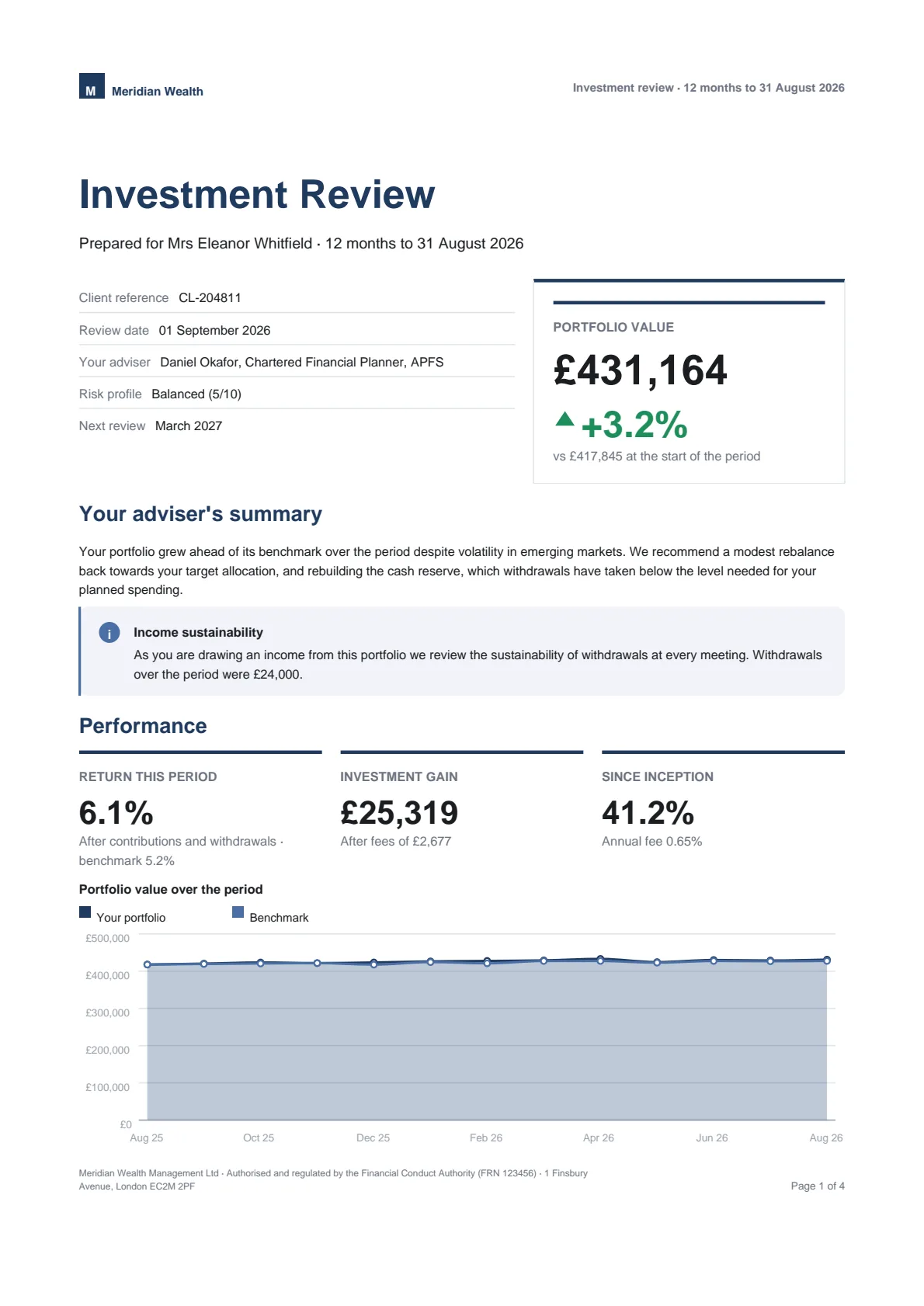
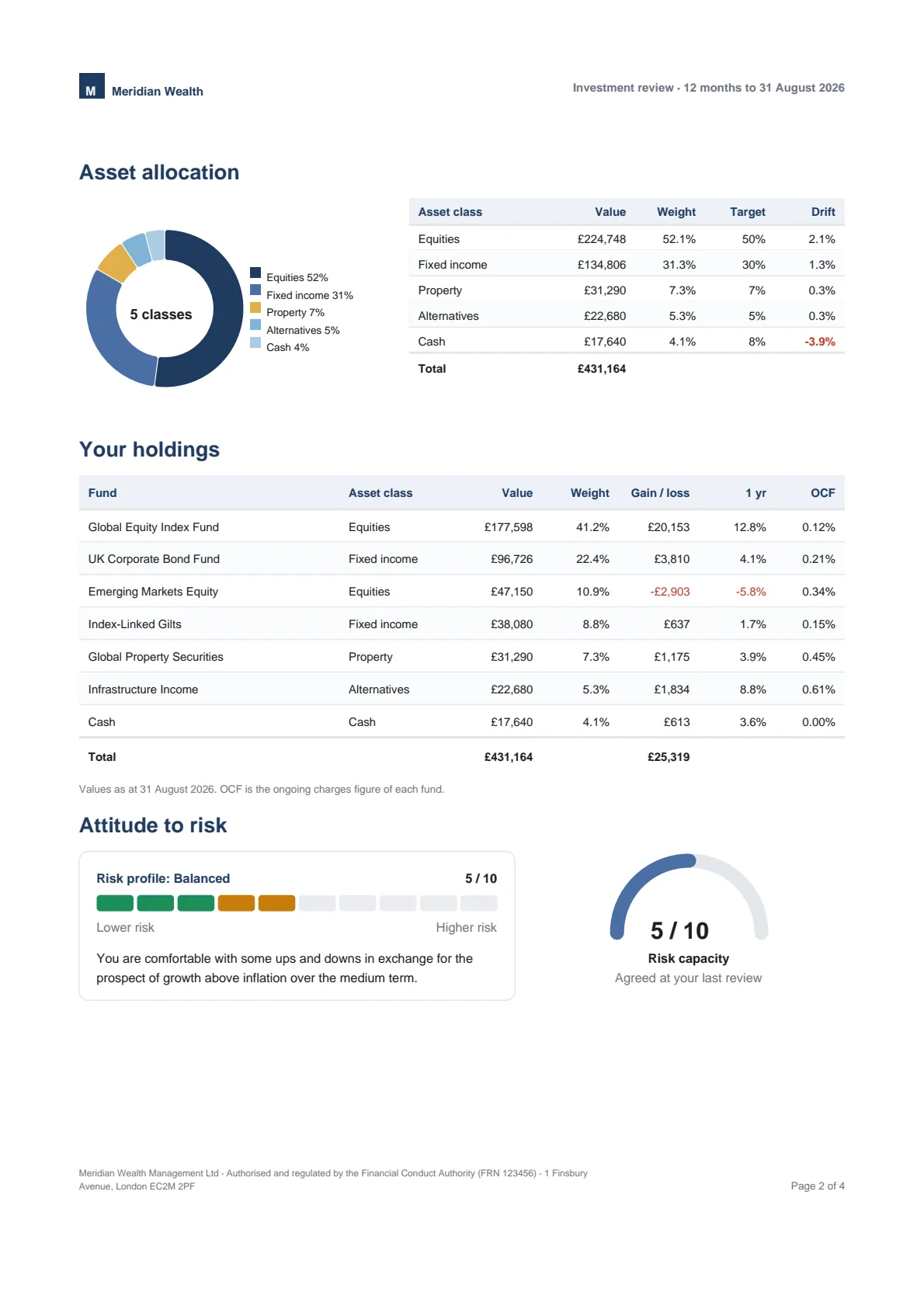
tagged, pdfUa and pdfA are options on the render call, and the title, author, subject and language come from the template and your metadata. PDF/UA-1 needs an embeddable font, so declare one in the theme rather than relying on the standard faces.now and the same template, data and theme produce the same bytes. That is what makes a document diffable in tests and reproducible in an audit — and it is why the render options carry a clock at all.Four pages, made by the engine in a browser. Open it, select the text, zoom into a chart.